
Unlocker
1.9.2
Size: 1.02 MB
Downloads: 106194
Platform: Windows (All Versions)

There are times when you need to remove certain Windows files and folders that are not used by applications or the operating system anymore. Unfortunately, some files may be impossible to remove, as Windows can still use them or protect them, even though the files are completely useless. In this situation, you may use Unlocker, a simple Windows utility which unlocks any file or folder stored on your hard disk, making it possible to remove it.
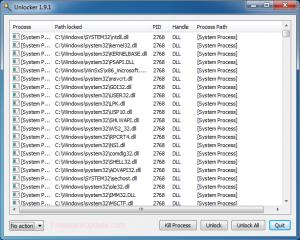
After installing and launching the application, the user will just need to right click on the files or folders which need to be deleted. At this point, the main interface of Unlocker will be displayed and the user will just need to click on the Unlock button. Doing so will make all the data removable. Alternatively, one can use the Kill Process button, which will automatically stop any process associated with a certain file.
The application is compatible with any kind of file, no matter its size or type and can also work with hundreds of files and folders at the same time, helping you save a lot of time and effort.
Pros
It allows you to remove any file or folder which is used by Windows or by applications. Besides that, the program's functionality is very simple to understand. Furthermore, several files and folders can be unlocked at the same time with a single mouse click. What's more, it can kill a process associated with a certain EXE file, which is useful in case of a virus infection.

Cons
The program requires setting Debug Privileges in Local Security Policy in order to run properly. Unlocker allows you to easily unlock any file or folder which is used by Windows, making it removable.

Unlocker
1.9.2
Download
Unlocker Awards

Unlocker Editor’s Review Rating
Unlocker has been reviewed by Jerome Johnston on 09 Oct 2012. Based on the user interface, features and complexity, Findmysoft has rated Unlocker 5 out of 5 stars, naming it Essential







